Object Storage Extension v 1.0.1

0/5,
0
голоса
Последнее обновление
последние
Версия
v 1.0.1
8 месяцев назад
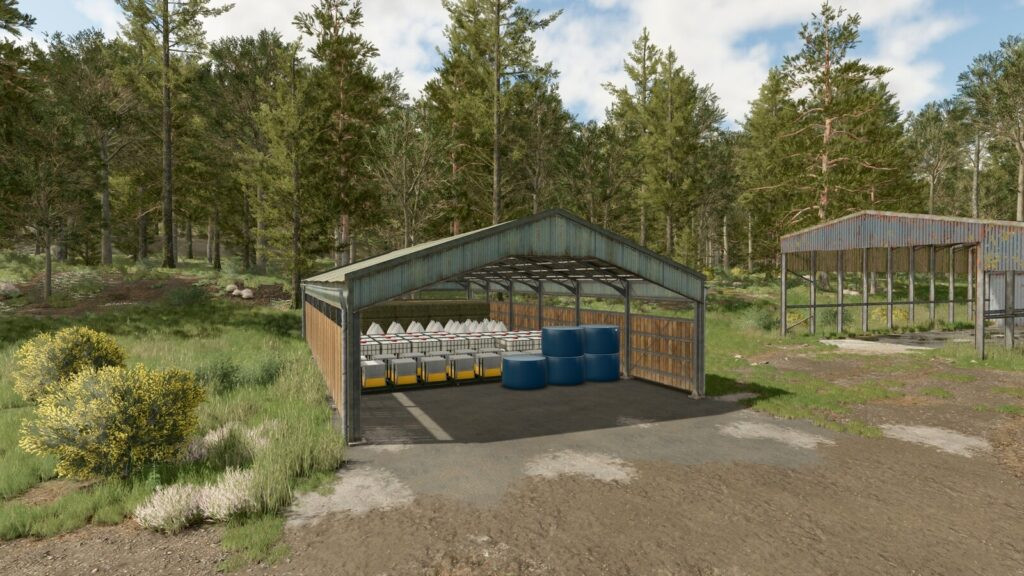
An extension for the base game ‘Object Storage’ system that brings back some of the features found in the original ‘Object Storage’ mod (FS17 – FS22).
Along with improving some existing features it is also now possible for users to adjust building configurations so you can play your way.
# Global Menu:
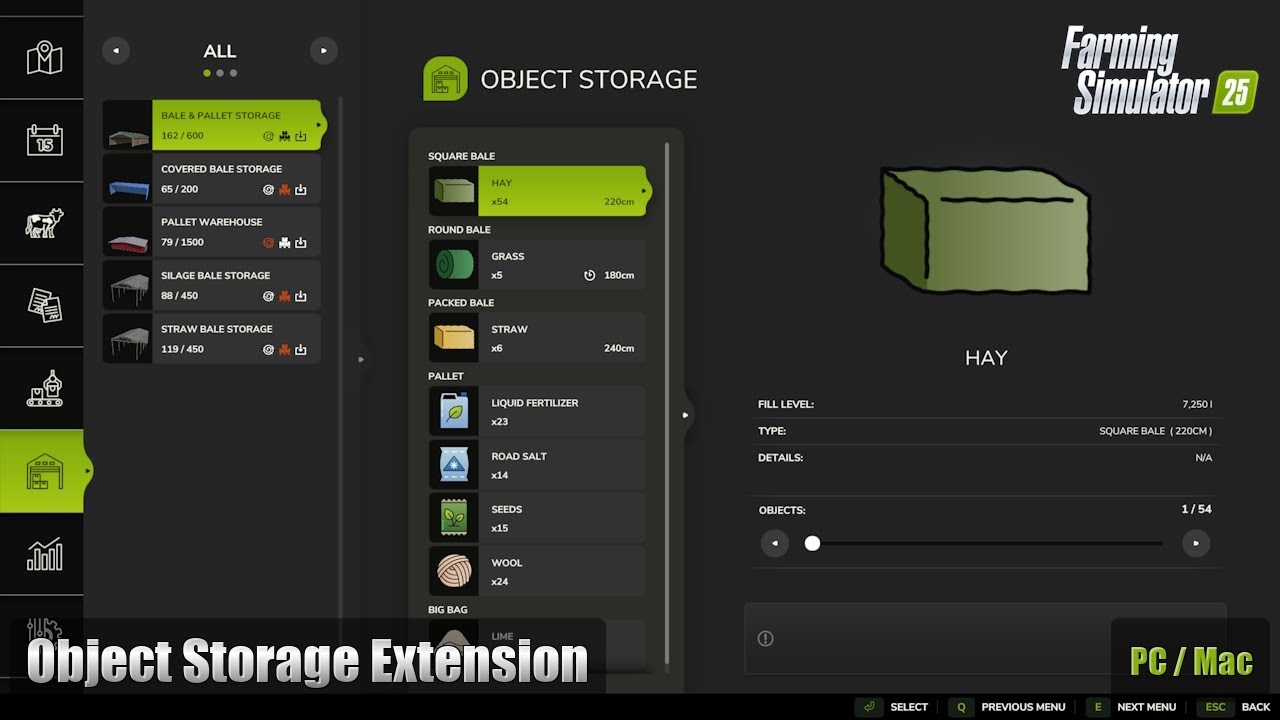
A new tab is now included as part of the In-Game Menu allowing easy viewing and spawning of all stored objects.
It is possible to adjust some menu options from the ‘General Settings’ screen.
# Configuration – Input Trigger:
It is now possible to disable each buildings input trigger, helping you avoid unwanted delivery of objects.
# Configuration – Capacity:
Do you have a building that stores too many objects for your realistic gameplay or would you love just a little more space? Now you can easily adjust the capacity of your storage buildings to a number you are happy with.
# Configuration – Object Types:
Wishing you could limit a building to bales or pallets only? This is no longer a problem, simply select the object type you wish to store.
# Improvement – Packed Bales:
Object storage buildings now fully support packed bales, allowing them to be cut open once removed from storage.
# Improvement – Fermenting Bales:
Fermenting bales are now correctly grouped in the menu, dialog and info pop-up once fermenting is complete without requiring a game restart.
# Improvement – Multiplayer Bale Colours:
Bale colours are now synced in multiplayer games instead of the default white. To reduce unnecessary network bandwidth bales of the same fill type and size will use the colour of the first bale added to storage similar to a single-player game.
# NOTE:
There are more updates planned to include extra modding options, these will be released as they are completed.
Changelog: +
Changelog 1.0.1.0:
– Fixed input trigger not working on selected mods where the input triggers scale is not set to (1 1 1).
– Fixed random issue where the menu would not open to the ‘Object Storage’ page when using a buildings trigger, if used directly after entering the game.
Credits:
GtX
Along with improving some existing features it is also now possible for users to adjust building configurations so you can play your way.
# Global Menu:
A new tab is now included as part of the In-Game Menu allowing easy viewing and spawning of all stored objects.
It is possible to adjust some menu options from the ‘General Settings’ screen.
# Configuration – Input Trigger:
It is now possible to disable each buildings input trigger, helping you avoid unwanted delivery of objects.
# Configuration – Capacity:
Do you have a building that stores too many objects for your realistic gameplay or would you love just a little more space? Now you can easily adjust the capacity of your storage buildings to a number you are happy with.
# Configuration – Object Types:
Wishing you could limit a building to bales or pallets only? This is no longer a problem, simply select the object type you wish to store.
# Improvement – Packed Bales:
Object storage buildings now fully support packed bales, allowing them to be cut open once removed from storage.
# Improvement – Fermenting Bales:
Fermenting bales are now correctly grouped in the menu, dialog and info pop-up once fermenting is complete without requiring a game restart.
# Improvement – Multiplayer Bale Colours:
Bale colours are now synced in multiplayer games instead of the default white. To reduce unnecessary network bandwidth bales of the same fill type and size will use the colour of the first bale added to storage similar to a single-player game.
# NOTE:
There are more updates planned to include extra modding options, these will be released as they are completed.
Changelog: +
Changelog 1.0.1.0:
– Fixed input trigger not working on selected mods where the input triggers scale is not set to (1 1 1).
– Fixed random issue where the menu would not open to the ‘Object Storage’ page when using a buildings trigger, if used directly after entering the game.
Credits:
GtX
Some functionality from the original "Object Storage" mod (FS17 & FS22) are restored in this extension for the base game "Object Storage" system.
In addition to enhancing some current capabilities, customers may also modify construction settings to suit their preferences.
# Global Menu: All saved items may now be easily seen and spawned thanks to the addition of a new tab to the In-Game Menu.
Some of the menu choices may be changed from the "General Settings" panel.
# Configuration – Input Trigger: You may now turn off the input trigger for each structure, which will help you prevent items from being delivered uninvited.
# Configuration – Capacity: Would you desire a bit extra room, or does your structure hold too many items for realistic gameplay? You may now simply change your storage structures' capacity to a level that suits you.
Object Types – Configuration: Would you want to restrict a building to only pallets or bales? This is no longer an issue; just choose the sort of item you want to save.
# Improvement – Packed Bales: After being taken out of storage, packed bales may now be cut open thanks to the complete support provided by object storage buildings.
# Fix – Fermenting Bales: After fermenting is finished, bales are now appropriately grouped in the menu, dialog, and information pop-up without necessitating a game restart.
# Improvement – Multiplayer Bale Colors: Instead of the default white in multiplayer games, bale colors are now coordinated. Similar to a single-player game, bales of the same fill type and size will utilize the color of the first bale put to storage in order to save needless network usage.
# NOTE: Additional modding possibilities will be included in future releases, which will be made available when they are finished.
Thanks to GtX
In addition to enhancing some current capabilities, customers may also modify construction settings to suit their preferences.
# Global Menu: All saved items may now be easily seen and spawned thanks to the addition of a new tab to the In-Game Menu.
Some of the menu choices may be changed from the "General Settings" panel.
# Configuration – Input Trigger: You may now turn off the input trigger for each structure, which will help you prevent items from being delivered uninvited.
# Configuration – Capacity: Would you desire a bit extra room, or does your structure hold too many items for realistic gameplay? You may now simply change your storage structures' capacity to a level that suits you.
Object Types – Configuration: Would you want to restrict a building to only pallets or bales? This is no longer an issue; just choose the sort of item you want to save.
# Improvement – Packed Bales: After being taken out of storage, packed bales may now be cut open thanks to the complete support provided by object storage buildings.
# Fix – Fermenting Bales: After fermenting is finished, bales are now appropriately grouped in the menu, dialog, and information pop-up without necessitating a game restart.
# Improvement – Multiplayer Bale Colors: Instead of the default white in multiplayer games, bale colors are now coordinated. Similar to a single-player game, bales of the same fill type and size will utilize the color of the first bale put to storage in order to save needless network usage.
# NOTE: Additional modding possibilities will be included in future releases, which will be made available when they are finished.
Thanks to GtX
Видео
Скачать файлы последней версии
Версия: v 1.0.1Обновленный: 8 месяцев назад
Общий размер: 367.71 KB FS25_ObjectStorageExtension_fs25planet.zip direct скачать · 367.71 KB · добавлено 8 месяцев назад
О моде
| Последняя версия | v 1.0.1 |
| Игра | FS25 |
| Категория | Инструменты |
| Загрузки | 254 |
| Создано | 10 месяцев назад |
| Последнее обновление | 8 месяцев назад |
Вам также может понравиться »

_fs25planet.jpg)


0 Комментарии
Комментариев нет. Будьте первым, кто прокомментирует!